Metroid Prime controls
2023 02 11
Metroid prime is a gamecube game that nobdoy plays on gamecube because it has random crashes on the gamecube. We've played the original gamecube version on the wii, and later on wii u through Nintendont, which lets the wii u play gamecube games (it turns out, the wii u can only not play gamecube games because they didn't want the disc reader to support minidiscs! that's literally the only reason)
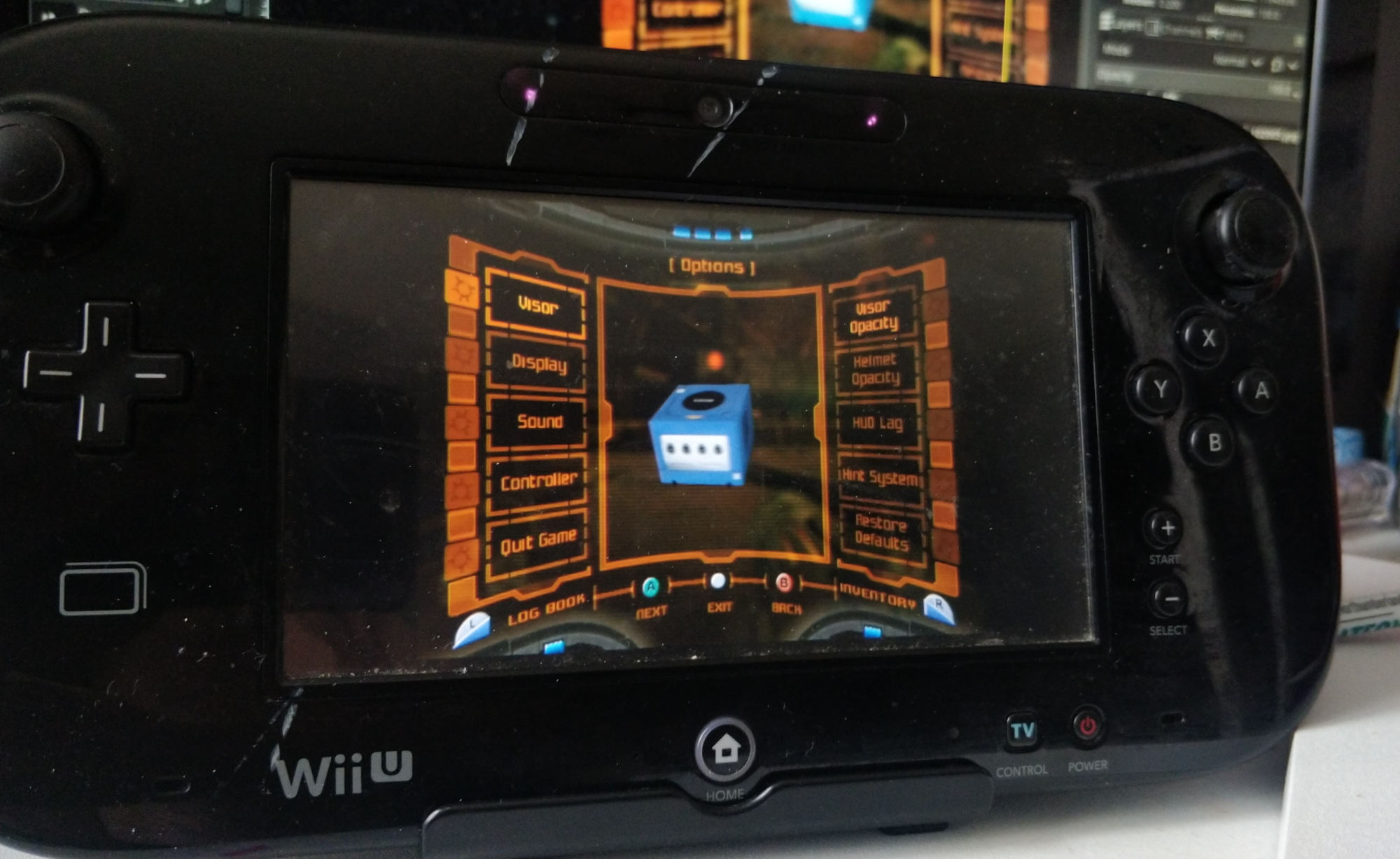
Metroid prime is one of our favourite video games ever. We originally played it on wii u in Metroid Prime Triology, which uses the wii remote pointer. The nunchuk control stick acts as the movement stick in triology version, and the pointer is the other two axis for the camera controls. It's calibrated pretty well, at least on "advanced" sensitivity.
We later got the original gamecube version, so that we could do some of the sequence breaks and tricks. The gamecube version is a single stick game, with 1 axis dedicated to movement, and the other to camera. This means you can only move forwards/backwards, and turn the camera horizontally. This is a little silly because the gamecube does have a second analog stick, but it makes sense to us because we've played a handful of games that have camera control on gamecube on the second stick (actually it may just be twilight princess), and it's pretty awkward. It's very small and better fit to quad directional binary flicks than analog movement.
In order to aim up and down, the player has to hold the right trigger down, which disables movement. The left trigger does the same for movement, where it gives the player strafing and disables their ability to turn. Because of the clicking of the gamecube controller, it feels pretty good. The left trigger also is the lock on button, but this is enabled by full pressing the trigger, meaniing there isn't an input overlap with regular strafing, which we like!
The gamecube controller's shape is honestly perfect for this game, and how loud it is feels great. Metroid Prime is meant to be a very, very immersive game, and the metroid series in general. It's a first person game, and all the HUD elements are contextualised as displays on the interior of Samus' (player character) visor. Everything also has at the very least visual feedback: soft pressing right trigger has samus put her arm on her gun, full pressing shows a reticle on screen, left trigger maxes out samus' acceleration giving you precise control, holding down the jump button makes samus look downwards while falling. It's great.
We think, because of the immersion and the level of feedback and the shape of the gamecube controller makes us like the gamecube controls more than the Wii controls. It feels very tight and responsive. The gamecube version also has more flexible movement, which enables sequence breaking without needing to know highly specific tech, which adds to the game a lot.
We don't really think it's the Wii version's fault, the only major thing it negatively changed was how strafing and lock on works (less precise, less flexible). for the most part, the pointer controls are very natural and actually help with immersion in their own way, and probably contributed to us liking the game so much. the game does also have some more clunky weapon and beam switching, and the controller is less fun shaped too.
Our main critisism is probably that the game only uses the pointer controls, and not a gyroscope.
We think the having a gyroscope would make turning around in wii metroid prime a lot more accessible. Gyro scopes work off thing like wrist twists and don't have to be pointed at the screen! we think some form of gyroscope would make the game more fun.
recently the game was also remastered for nintendo switch console. it looks really awesome!! metroid is a special interest and we really love metroid prime. it's cool.
we've played with three of the four control schemes: dual stick, hybrid, and classic. there is also pointer controls, but we haven't tried them because they seem best with joycon controllers, and our only joycons are not fit for playing games.
because the switch controller has two sticks and a gyroscope, it can do a lot that the other versions maybe couldn't.
turning on gyro camera in dual stick mode kinda feels strange. The range of movement allowed by the gyroscope while still being able to aim is awkward, and recentering it is rough. The only way to recenter it in dual stick mode is by moving the right stick. the gyroscope doesn't seem fit for both turning and aiming. We've been trying to use the stick for turning and recentering and gyro for aiming but it doesn't feel great. we've tried to max out the right stick horizontal panning and make it's vertical panning zero to emulate flick stick, but it makes it impossible to recenter the gyro vertically.
classic is the gamecube version's controls. it even has the scan visor on the correct d pad button, and angles camera down when holding jump. this mode doesn't have motion controls. we think, maybe because the left stick lacks notches, it's really easy to mis input a turn when trying to go forward, and somehow it doesn't feel caliberated properly. Because the A button is so much smaller on the switch than the gamecube, it's also much less intuitive to fire in this mode (it is right trigger in dual stick, and the right trigger is really big). The triggers being digital also make it kinda suck. The left trigger being digital didn't matter on the wii version, because it's controls were essentially dual stick but with a pointer. for the classic control layout, it's single stick, meaning you need to use left trigger in order to strafe. It's also impossible to shift your lock onto something else nearby. It's messy. Also left trigger is still floaty even in this mode.
Also we like the X and Y button placements on gamecube more but that may be mainly familarity.
Hybrid is the classic control scheme, except when holding R. Holding R lets you aim with the gyroscope, and lets you move while holding the right trigger, unlike the class controls. This is a confusing control layout to use, and we think in order for it to make sense you need to have a stick in order to make big movements, the gyroscope doesn't make sense for aiming and turning simultaneously! but the right stick can't control the camera in this mode, and holding right trigger no longer lets you control camera with left stick either! it's all motion controls. You can kinda recenter the gyroscope in this mode since you can turn it off and on manually, but it doesn't feel good!