Nintendo Switch Has Games
2023 02 26
we REALLY want to customise this webpage with pretty pastels and make a flying strawberry pastel art for this page but we're tired
a huge mod came out like a week out for celeste. it's a collab of a TON of different authors.
it's called strawberry jam!! hehe. (the words are awesome!)
we've been trying to play video games before, to help with our disassociation/adhd/derealisation. Games help give us direction and make our interests feel real!!! we starting trying with strawberry jam. the beginner lobby is so happy for our brain!!
when we first played celeste, we played it on swtich, and it is one of the games that it being handheld was the most important for! let us play comfy and at our own pace. Other games we've played signficantly in handheld were xenoblade 2 and 3, and animal crossing. I'm cute!
we want to play strawberry jam on switch!!!!! that would make it so much more accessible and exciting for our brain!!
we keep playing strawberry jam and feel like "this would be awesome on switch"!!!!!!!!!!
we're gonmna try and make it work~!
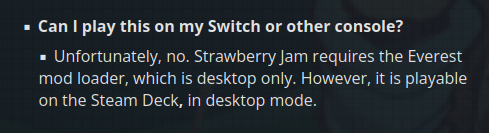
this is displayed on the official download page, and on the install guide.
and so we began onto a journey. (!!)
why can't we play on switch!
we're pretty sure, somewhere, the collab says that the reason you can't play it on switch is for technical limitations. we like this explanation.
we discovered yesterday that, before farewell chapter was added to celeste, there was software that made it so you could make switch custom maps with, meaning you could port computer mods to switch using this! it hasn't been maintained in a very long time, and so it doesn't work with current versions of celeste, at least according to the everest wiki.
we think the page says that it used layeredFS, which makes sense. layeredFS is replacing one file with another file. although, we think because of that, it wouldn't be possible to port strawberry jam to switch even before farewell came out, because of how much new things it has. we assume there are some kind of significant limitations of layeredFS!
so, the broad technical limitations could be talking about this, about how the switch custom map software is no longer functional, or would have never worked(!). it could totally also mean that maybe the switch couldn't run it maybe because of data reading or memory stuff (big mod has huge memory usage and has big loading stutters on our hard drive!)
on the image we put on here it says that we can't play on switch because switch doesn't have everest, and we also agree with this.
we think everest is like a modloader for celeste, like fabric or forge for minecraft. we're pretty sure it is like an accessible way to for mods to interact with celeste, and it has things like tools and apis built in and does modloading for mods.
we think because of this, everest is important in running mods in general! including on switch.
can we get everest on switch!
there are some barriers to installing everest on switch!
we need an installer! we know of two installers. mons is a python installer, and olympus is a gui installer!
we don't know how to run these on the switch's operating system! they are both meant for computer, especially olympus
so we ran them on computer!!!!!!!
using switchroot's ubuntu distribution for switch, we can do this!
but now we have a problem! to our knowledge, all computer versions of celeste are binaries for x86 computer chips! switch is arm. this may not be true but we dont know!
this is pretty small problem. there is a program called box64 that lets us play x86_64 games on arm. :)
next! install everest.
first, we tried using Mons. mons is a python program, meaning it is inherently cross platform! python programs , like java programs, rely on the system having the needed things to run python programs, instead of needing to rely on each individual program having a build for each kind of computer!! most computers have good python runners, so python code is basically guranteed to run, unless it uses system specific tech.
and it did!!! however, we think it had some trouble installing everest. something about relying on exe version of celeste, which, at the time, we thought was a windows binary, but it seems to just be the filename, which makes sense! our version of celeste is for linux. maybe the cd rom version we have is windows but we weren't able to get the disc out of the case when we got it and now that we know how to get it out we no longer have the ac adapter for our disc driver.
we're pretty sure we then tried to compile Olympus from source. since we're using we think Unity desktop environment, the things needed to run olympus are there. this involved also building some mono stuff from source, which took a bit, most of our day.
we think that near the very end of the build process for olympus, it failed, so we decided to give up for the night. it wasn't upsetting! we could play strawberry jam on our computer still.
the next morning, or maybe right before going to bed, we decided to search celeste ARM linux, and we found this.
this repository is a guide for how to install arm64 compatible celeste on specifically the linux for tegra ubuntu image on switch!!! the code seems to patch celeste to work natively maybe and also adds a dependency checker on startup.
in the guide, it has an amazing idea for installing celeste. patch celeste on main x86_64 computer, and then install everest normally to that version using olympus (you can add a different instance in olympus by hitting gear icon manage, and then selecting the new instance's directory).
we thought this was sick. and then we just file transfer to switch!!!
we don't know what the file patcher does and we assume it's not neccesary, but it made the process very straightforward which was cool. when we tried running celeste, it started apt to install dependencies and also to install olympus and celeste desktop applications to the app launcher.
once we started, everest was there and we were accomplished!

strawberry jam!!
on our desktop computer, we need to run ulimit -S -n 2048 SDL_AUDIODRIVER=pulseaudio with celeste
in order to run strawberry jam. the first ulimit section indicates allowed file size we think for celeste to open,
which needs to be big for strawberry jam, and second audio driver section gives us audio.
for some reason we don't need to run the audio driver part on durian (our switch), we think maybe because of the arm patcher.
anyways, strawberry jam is big! we had to run it from terminal and not the launcher to add the ulimit thing. it would crash after a couple minutes on the celeste running loading screen. rough!
we spent a couple days fiddling with things.
everest's logging is really verbose, and it seems like a lot of normal exceptions appear even on computer. this made searching for weird problems difficult! it didn't even seem to document if installing mod dependcies worked or not. only on the gui during attempted install!
it struggled loading mods, and would crash we think afterwards installing dependcies.
over a couple days we tried out some different smaller mods, with less dependcies, to try and figure out if a specific dependency was causing an issue, or if it was just too many files for the switch (maybe limited storage space/memory?).
we tried Secret of Celeste Mountain, which was very surprisingly super metroid inspired, and it worked fine! until we installed the optional achievement helper which made the mod very very slow. then we tried a collab, the summit collab, and aside from the lobby being laggy, it worked fine. both of these also had modloading issues on first install we're pretty sure! but we could still play them!!
we originally tried to summit collab after
we came across a reddit post about how ulimit was not the right solution to file loading errors. they said that
in the celeste config file in the celeste save folder had a unset toggle fasttextureloading, and
setting it to false would make large mods work without ulimit.
we set that, and then tried the summit collab because it was bigger than the secret of celeste mountain mod, and after it worked we decided we wanted to see if the larger spring collab worked. while it was downloading, we decided to just give a shot loadding strawberry jam this time, with the only difference being fast texture loading being disabled.
we were completely unsure if it would work!
after around 5 minutes of loading, it did work!! and then we put our save files in to test!
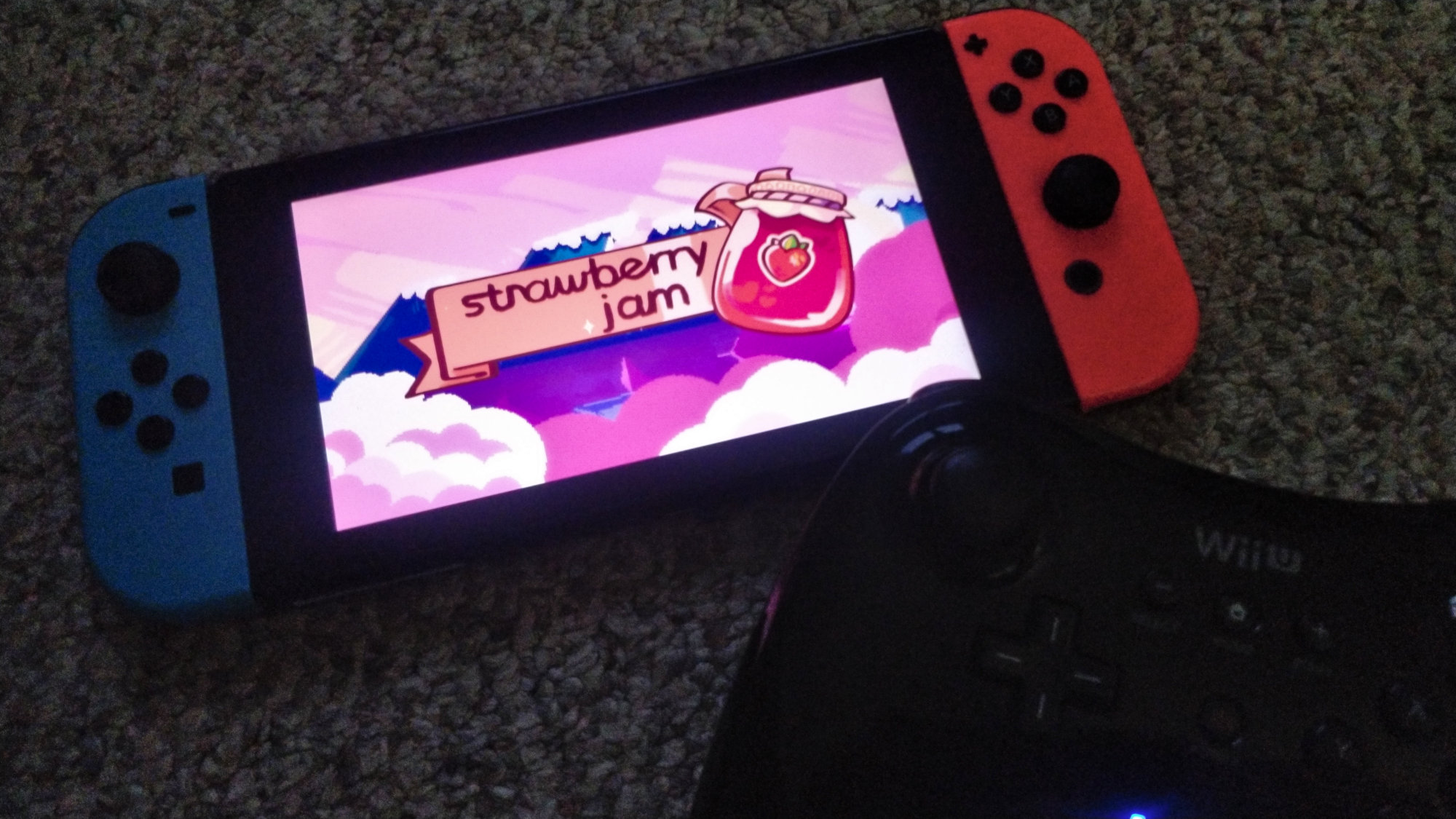
similar to the summit collab, the lobbies also run very poorly. Probably because the lobbies were bigger, and their entire size was loaded at once, which was hard on processors!
levels seem to run fine as long as there aren't gigantic single rooms without any room transitions! haven't played many!!
the lobby thing is more challenging than in summit collab, which sucks. it makes playing it really hard!
we want to fix it to make it easier to play!
also fast texture loading fixed a problem on kitten system too! cool.
getting it to work well and also to play!
we want to make strawberry collab as playable as possible!
first of all, we've played most of celeste on our switch version. a while ago we copied the save to our computer, and it turns out the save file format on the computer version is identical to the switch version! this is probably true for other console versions, as long as you're able to access to save data! (useful for changing name of the save file). we then brought this save to durian with ubuntu, which worked perfectly.
we also wanted a better controller! so, we have the option of using a lot of controllers on celeste, probably inlcuding the wii remote and nunchuk. we've primarily used switch pro controller, because it's been most accessible (syncing in ubuntu over bluetooth is tight timing window!). in celeste, it sucks for us! the dpad is very unreliable and the stick doesn't have notches and lots of travel, meaning it is very common to misinput directions.
we don't really like joycon buttons because they are all separate and pressing multiple at once is challenging.
we've been trying out wii u pro controller (syncing is much more accessible!) and it has a larger and more consistent dpad than switch. we've played a ton of xenoblade X and metroid zero mission on this controller, and this controller is somewhat painful to use dpad primarily on. it's shape and button placement is much more challenging, and the bigger dpad requires different muscle memory for how long to move thumb! we're giving it a shot to see if we can like it though. after this we will probably try gamecube controller, which has a notched stick with little travel, although or notch is really worn and our stick is loose and doesn't have much grip on it anymore.
we had to remap wii u pro controller in AntiMicroX and clicked save and then it worked in celeste.
tip! going to the celeste title screen when you have multiple controllers connected lets you change! controller that leaves title screen will be used. on the main menu, pressing X on keyboard or A on switch pro controller lets you go back, although we remapped it so its B for us. we think we would use keyboard if we could connect usb keyboard easily! it's what we prefer for fighting games.
we think lobby being unplayable even when overclocked is rough! in summit collab overclocking made it fast enough to be mostly playable. we think it would be good for lobbies to cull areas offscreen! maybe the areas around the warp points. so that there is less strain on switch!we assume the entire room is loaded and rendered even if its off screen.
also! maybe because of how much memory is used by strawberry collab, be careful docking and undocking! we've had undocking crash our display manager we think.

it has surprsingly good battery life! we like that.